Editing/Deleting Items in Folder
The folder works similarly to Search Results. The contents can be viewed in the same four tab views (Table, List, Gallery, or Slide). In addition, items in the folder can be deleted and contents can be saved--two functions not available in the Search Results drop down menu.
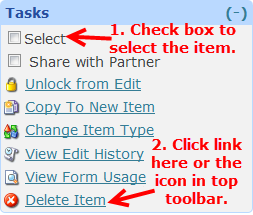
You can delete items in two ways. One is to click the Select box next to items you want to delete and then click the Delete Item link.
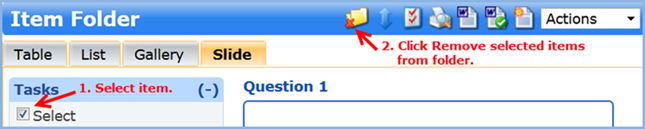
Another way is to select item(s) you want to delete and then click the Remove the selected items from folder  icon in the top toolbar.